Maloy, R., O’Loughlin, R., Edwards, S., & Woolf, B. (2013). Transforming Learning with New Technologies. 2nd Edition. Boston, MA: Pearson Education Inc.
In conclusion, there are many ways of getting students involved in daily lessons. Test-based assessments are necessary to make sure students are understanding the material and are able to remember it, but performance-based assessments give students the opportunity to give the information they have learned a practical use through collaboration and innovation. The democratic classroom is definitely something I would like to try in the future because it makes the students feel like they are part of a community, and giving them the ability to choose what they are going to learn and what type of activities they will engage in makes the classroom experience enjoyable. Finally, PowerPoint presentations are very misused, but with the use of thought-provoking images and discussion questions, the lesson will stay alive and the students will stay awake. So let's work together to make a change in a child's life. Happy teaching!
Maloy, R., O’Loughlin, R., Edwards, S., & Woolf, B. (2013). Transforming Learning with New Technologies. 2nd Edition. Boston, MA: Pearson Education Inc.
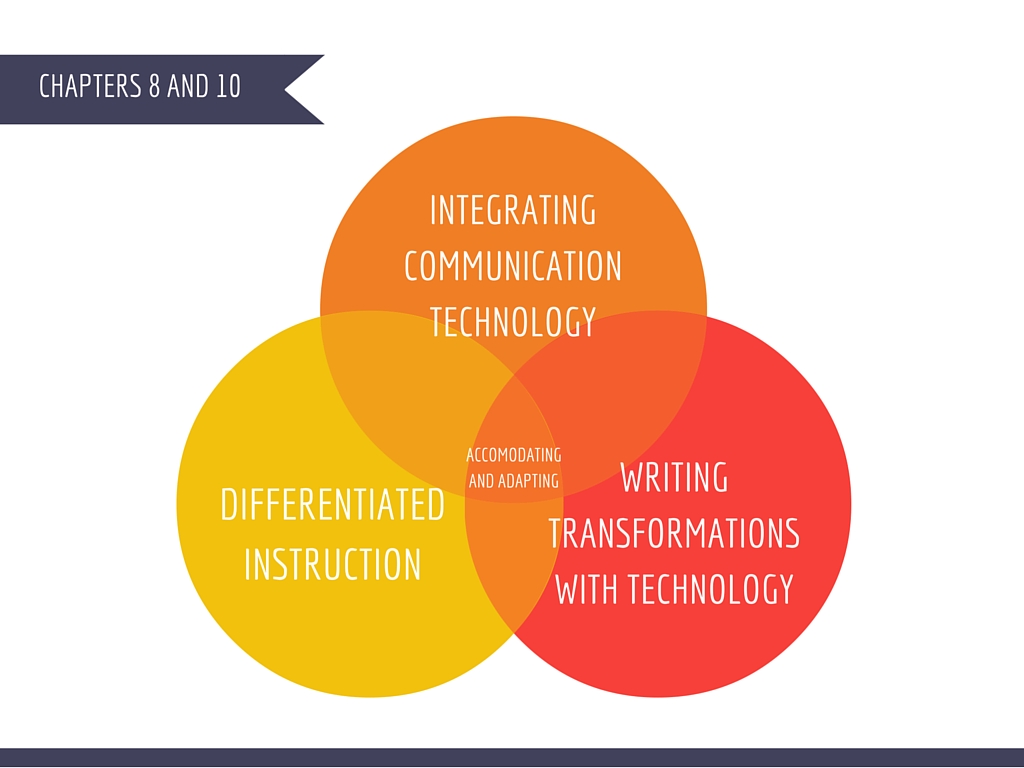
In conclusion, integrating communication technology, differentiating instruction, and transforming writing with technology are all ways in which teachers can accommodate and adapt to the different needs that are present in the classroom. By using wikis and blogs, we can make discussions interesting, and students will be able to learn from their peers and from personal experience rather than from a lecture. Differentiated instruction presents the information in diverse ways that allow students to explore and learn in their own learning preference. Finally, writing tends to be a least-favorite activity among students of all ages, but if the writing process is implemented and mixed with technology and collaborative efforts, writing can be enjoyable! Our goal as teachers should be to make learning a fun and memorable experience for our students while also bettering their academic performance, and these are definitely great methods to use in the classroom. I can't wait to get started!
Resources
Maloy, R., O’Loughlin, R., Edwards, S., & Woolf, B. (2013). Transforming Learning with New Technologies. 2nd Edition. Boston, MA: Pearson Education Inc.
Chapter 5 offers many ideas about how to teach information literacy in the classroom. One of the methods that caught my attention because of its simplicity is using search engines efficiently. Google tends to be the first search engine we go to when we need quick information, but there are many search engines available that are specific to a subject area and can facilitate the research process. Table 5.1 on page 105 lists 16 search engines. For example, the Library of Congress American Memory site provides primary source documents and exhibits on U.S. history; Artcyclopedia contains works of art and biographies of famous artists from the past and the present; and Open Library has the long-term goal of dedicating a page to every book that has ever been published. I cannot believe I have never heard of these! I definitely plan on using these to teach students how to search the Internet effectively. It is important for students to learn how to effectively search the web and to expand their horizons beyond Google.
Another concept that was interesting to me was the section on Wikipedia. Teachers tend to portray this online encyclopedia as such a negative source, but in reality, it can teach students a great deal about what goes on behind the screen of online encyclopedias. Many people "distrust Wikipedia because recognized experts do not serve as referees of the knowledge selection process" (Maloy, 2013, p.114). We all know that it can be edited at any time, which discredits some of the information. However, the text offers some ideas of how to benefit from Wikipedia. This site can be used in comparison with other encyclopedias, like Britannica Online or Microsoft Encarta. Students can "fact-check" entries to see how accurate the information truly is, and if any errors are found, they can submit their revisions. My favorite one is to role-play encyclopedia development. In this activity, students are assigned to groups and choose a topic to write about. The teacher can limit the list of topics so that more than one group has to prepare an entry on the same topic. After this exercise, students will learn how real-life encyclopedia development occurs. These are all great ways of teaching students information literacy, and also of promoting collaboration and interactive work. I am definitely putting these down in my list of things I want to accomplish when I have my own classroom!
Chapter 7 is like a loaded gold mine, full of different technologies software, apps, and games that teachers can use to promote problem solving and inquiry learning. Different ages require different levels of difficulty, but what interested me the most were the digital games. I never knew that there is a difference between computer games and digital games. Computer games have education as only one of their purposes, but digital games for learning "are computer and web-based games that have been designed with educational rather than entertainment goals in mind" (Maloy, 2013, p. 171). I really like the idea of simulation games. Stop Disasters! is one game that presents students with a natural disaster scenario, and the natural disaster is based on the region of the world that is chosen. Students are given 15 minutes to prepare for the disaster, and in this time they are required to balance social and economic factors. This kind of game can expand students' vocabulary, help them understand the concept of money as a limited resource, and teach them about the world they live in.
In conclusion, students need to develop skills that belong to digital citizens, and to accomplish this goal, teachers must be open-minded about technology in the classroom. It is important for students not only to learn how to search the Web, but how to search it efficiently and how to choose the best websites for research. There are also many games, software, and apps at our disposal to help students build problem-solving skills. I could not mention all of them in this blog, so I decided to make a separate presentation that includes my favorite options. I hope you enjoy!
Maloy, R., O’Loughlin, R., Edwards, S., & Woolf, B. (2013). Transforming Learning with New Technologies. 2nd Edition. Boston, MA: Pearson Education Inc.
In conclusion, being a teacher is much more than giving information from the front of the classroom and testing the students to see if they memorized what was said. Being a teacher is about developing every child's love for learning. As seen in this blog, this can be done in several ways. First, I can adopt a student-centered classroom to better assist the students' individual needs. I can also give time for group work and collaboration so they can use their skills to help others and make their assignments reflect who they are. Finally, I can encourage creativity and perhaps even set aside time for students to let their imagination run wild and to explore with their creative juices. Thank goodness I have technology by my side to help me accomplish these tasks!
Works Cited
Discovering Antarctica. Retrieved from discoveringantarctica.org.uk
Maloy, Robert, Verock-O’Loughlin,Ruth-Ellen, Edwards, Sharon A., and Woolf, Beverly Park (2013). Transforming Learning with New Technologies. 2nd Edition. Boston, MA: Pearson Education, Inc.
As mentioned in the text, the computer is the driving force in the changes occurring in society. Some of these changes include exposing children to technology, the important role that technology has in a household, and changes in communication. I remember that, when I was a child, I entertained myself by coloring, playing outside, and reading. If I watched TV, it was because there was a 4:00 program for kids, and it only lasted half an hour. Computers were a big block, and the only time I got to use one was when I would go to the library and play the computer games they offered. Now, only one decade later, I see babies and toddlers unlocking their parents' cellphones, taking selfies, and playing games on a tablet as if they were experts. The computer has evolved in such a way that we can hold one in our lap, in our briefcases, and even in our hands. Teaching styles have changed dramatically based, for many high schools integrate tablets into their curriculum because it is just so much easier. Going to the library and searching reference books is outdated because students can find the answers they need while they are sitting in class. When I have my own classroom, I will definitely use technology to promote interactive learning, and to let my students discover ways in which the information they are learning connects with the world. This website offers 20 free technology tools that every teacher should be using. In an elementary setting, I could assign homework from a fun, educational website where I can monitor their activity, and this could also promote parent-child interaction.
This leads me to the next concept that caught my attention--the technology-based office. The technology-based office is just what it sounds like. It is the teacher's office based on technology, meaning that all of the essential duties--like attendance, grading, and recording educational expenses--can be done on the computer. I can imagine how difficult it must have been for teachers before the computer age to keep track of their important papers, on top of the assignments the student's submitted. Along with this, teachers also have Microsoft Office at their disposal. To enhance learning, they can use PowerPoint and Word. To better organize themselves, they can use Excel spreadsheets. There are so many tools available to teachers today, and since we have grown so comfortable using them for our assignments at school and for other uses, I am sure I will take advantage of them. However, since many schools have their own installed programs for, say, grading, technical issues always arise. For this reason, I will most likely keep some files the old fashioned way as a back-up.
Third, building a digital identity seems to be a fun and important part of the teaching experience. It is interesting how students are not the only ones learning in the classroom. Teachers constantly have to learn about new ways to present their information in an attractive manner, and technology is necessary in this process. Building a digital identity addresses three goals: building a multimedia resume, learning resources and teaching tools, and modeling technology for students. I took a look at the "21st Century Technology Self-Assessment" found on page 18 in our text, and I discovered that there are still a lot of things I don't know about technology in teaching! Building my digital identity will be fundamental in my success as an educator. I will have to accept that my teaching methods will change as I gain more experience. My students will need to see that I am literate in technology, and that I am able to help them in becoming engaged digital citizens. They need much more than a passing grade: they need to learn skills that will help them think critically and solve every-day problems. I aspire to do my best in teaching them what I know!
As seen throughout this reflection, technology is much more than an optional tool--it has become an integral part of our society, and therefore, of the teaching profession. For the students' benefit, I must be knowledgeable in what is available to me as an educator to adapt my method of teaching to each student's individual needs. For that, I will begin working on my multimedia resume so that, when the time comes, I will be able to show that I have the skills necessary to be in charge of a class and use media to making the learning experience enjoyable, memorable, and practical for the future. I can't wait to get started!
My sources
A, L. (2015, May 29). Educational Technology in the Classroom. Retrieved January 24, 2015, from https://www.youtube.com/watch?v=K9kdIBlM424
Maloy, R., O'Loughlin, R., Edwards, S., & Woolf, B. (2013). Transforming Learning with New Technologies. 2nd Edition. Boston, MA: Pearson Education Inc.
Meador, Derek. (2016). Free Technology Tools that Every Teacher Should Be Using. Retrieved January 24, 2015, from http://teaching.about.com/od/tech/tp/Free-Technology-Tools-that-Every-Teacher-Should-Be-Using